About

Wednesday, October 29, 2025

Prompt ASMR video type

 Prompt video:


Vertical 9:16 cinematic video, designed for TikTok. The scene shows a full, ripe green watermelon sitting on a clean wooden cutting board. The watermelon has a smooth, realistic dark green rind with light stripes, detailed texture, soft reflections. The camera is centered vertically in portrait orientation, focusing on the watermelon from a close-up macro view. After a short pause, a shiny stainless steel knife enters slowly from the right side and slices through the watermelon in smooth slow motion. As the knife cuts through, the inside of the watermelon reveals the bright pink-and-orange pulp of a grapefruit, with juicy, translucent segments glistening in the light. The lighting is soft, cinematic, and natural daylight. Realistic reflections, shallow depth of field, macro photography aesthetics, 4K ultra realistic detail, ASMR style, satisfying slow motion slice, portrait orientation only.

Wednesday, October 22, 2025

Use Google Apps Script triggers with Google AI Studio


To use Google Apps Script triggers with Google AI Studio, you’ll need to bridge the two platforms using webhooks or external automation tools. Here's a step-by-step overview:


🧩 Step 1: Create Your Google Apps Script

  1. Go to script.google.com.
  2. Click New Project.
  3. Write a function you want to trigger. For example:
function dailyTrigger() {
  // Your automation logic here
  Logger.log("Triggered!");
}

⏰ Step 2: Set Up a Time-Based Trigger

  1. In the Apps Script editor, click the clock icon 🕒 (Triggers).
  2. Click + Add Trigger.
  3. Choose:
    • Function to run: dailyTrigger
    • Event source: Time-driven
    • Type of time-based trigger: Day timer
    • Time of day: Choose your preferred time

This makes your script run automatically every day.


🔗 Step 3: Connect to Google AI Studio

Google AI Studio doesn’t directly support Apps Script triggers, but you can integrate them using:

  • Webhooks: Send data from Apps Script to AI Studio via a webhook endpoint.
  • Zapier or Make: Use these platforms to connect Apps Script outputs to AI Studio workflows.
  • Google Sheets: Store results in Sheets and have AI Studio read from there.

📦 Example Use Case

Let’s say you want to send a daily prompt to Gemini in AI Studio:

  • Your Apps Script generates the prompt and sends it via webhook.
  • AI Studio receives it and processes the response.
  • You can then email the result or store it in Sheets.

Here's how you can connect Google Apps Script triggers to Google AI Studio using a webhook:


🔧 Step-by-Step Integration Guide

1. Create a Webhook Endpoint in Google AI Studio

  • In your Gemini agent (inside AI Studio), go to the Webhook section.
  • Create a new webhook and copy the URL provided.

2. Write a Google Apps Script to Call the Webhook

Go to script.google.com and paste this sample code:

function dailyTrigger() {
  const url = 'YOUR_WEBHOOK_URL_HERE'; // Replace with your AI Studio webhook URL
  const payload = {
    prompt: "Run today's AI task",
    user: "Security"
  };

  const options = {
    method: 'post',
    contentType: 'application/json',
    payload: JSON.stringify(payload)
  };

  UrlFetchApp.fetch(url, options);
}

3. Set Up a Daily Trigger

  • In the Apps Script editor, click the Triggers icon (clock).
  • Click + Add Trigger.
  • Choose:
    • Function: dailyTrigger
    • Event source: Time-driven
    • Type: Day timer
    • Time: Choose your preferred time

4. Test It

  • Run the script manually once to confirm it works.
  • Check your Gemini agent in AI Studio to see if it received the webhook.

This setup lets you run a daily automation that sends data or prompts to your Gemini agent, which can then process it and respond accordingly—like sending an email or updating a database.

Would you like help customizing the payload or setting up the Gemini agent to respond with email?

Sunday, August 31, 2025

CodeLobster

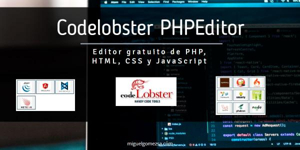
 CodeLobster is a free cross-platform IDE for PHP, HTML, CSS, and JavaScript. It supports many interface languages and has a lot of features. It is created for learners and also professional developers in order to give them smart tools to make the development process much easier for them.

Editor gratuito de PHP, HTML, CSS y JavaScript - Codelobster PHP

The great thing about CodeLobster is that it has plug-ins for Drupal CMS, Joomla CMS, Magento CMS, Smarty template engine, Twig template engine, JQuery library, AngularJS, BackboneJS, Laravel, MeteorJS, Phalcon, CodeIgniter, CakePHP, Symfony, VueJS, Yii and WordPress. I would definitely recommend this IDE, especially if you work with a little bit of PHP and JavaScript. It also has a lot more features that you can benefit from such as highlighting, auto-complete, a powerful PHP debugger, a SQL manager, and more.

View/Reply Online | Reply To Group | Reply To Sender

Monday, June 11, 2012

web based crm

Twitter Delicious Facebook Digg Stumbleupon Favorites More

 
Design by Free WordPress Themes | Bloggerized by CRM Info - Premium CRM | Open Source Softwares